


Lost & Found
Get help posting lost or found dogs, increasing visibility, and receiving updates from the community.
Catalog
How can I report that a missing dog has been located?
If you know that a dog on the feed has been found and reunited with their owner, you can report it to the DogPack admin so that we can change the dog's status from "Missing" to "Found."
To report that a dog has been found, navigate to the “Lost & Found” Feed.
On the Lost & Found Feed, find the poster for the relevant dog and click the 3 dots button on the top right. Proceed by clicking “Report that this dog has been found”
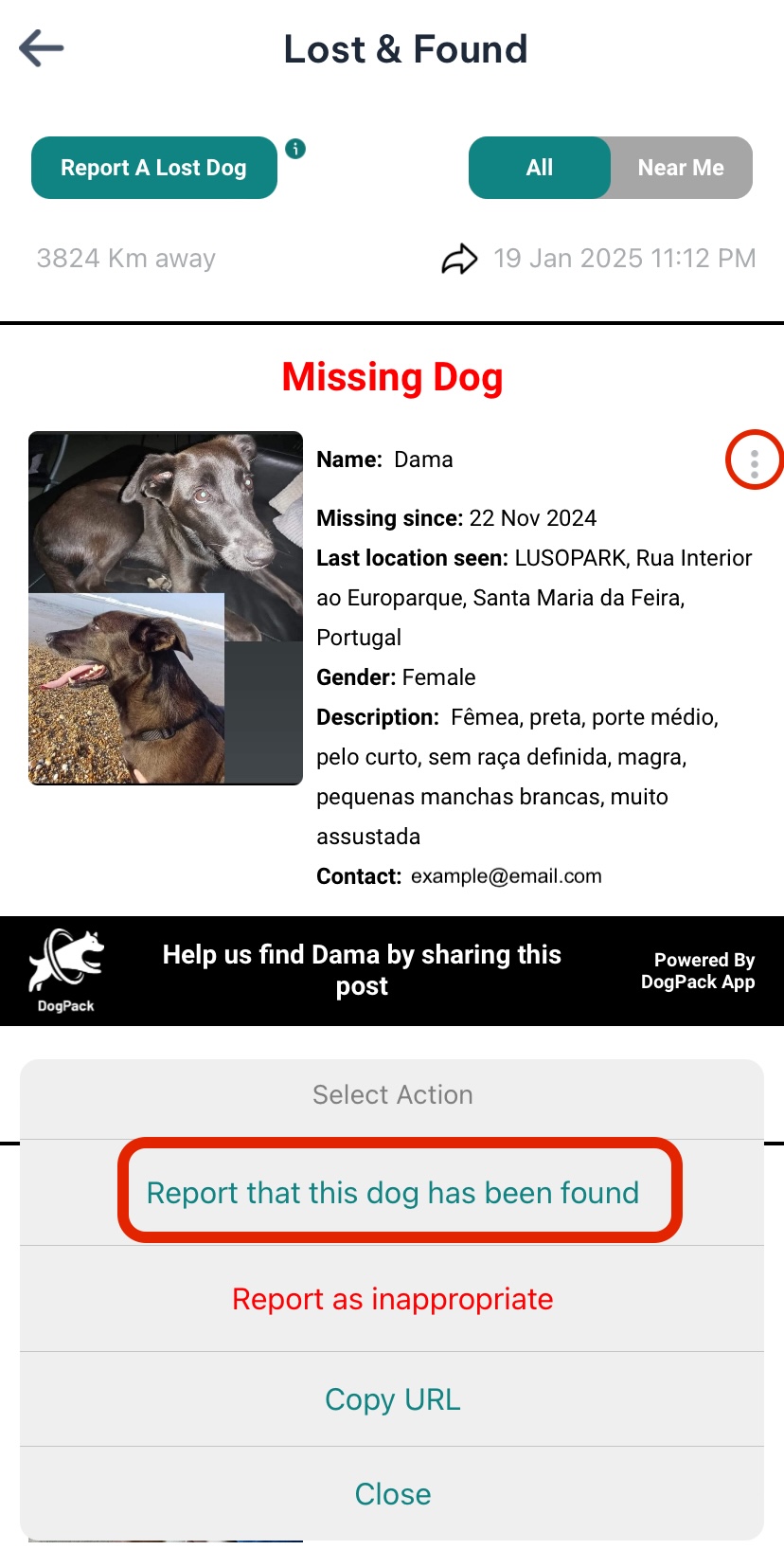
Once the DogPack team reviews that the information is accurate, we will change the status of the missing dog to found to let everyone know the great news!
How can I report a lost dog on DogPack?
If your dog has gone missing, or you find a stray dog, you can report it on DogPack, and your post will be displayed to users near the area where your dog was last seen. Additionally, when you report a missing dog, we will send out a push notification alerting all DogPack users in the area that the dog was last seen with all of the dog’s information.
Navigate to the Lost & Found section. On the top left there is a “Report a Lost Dog” button.
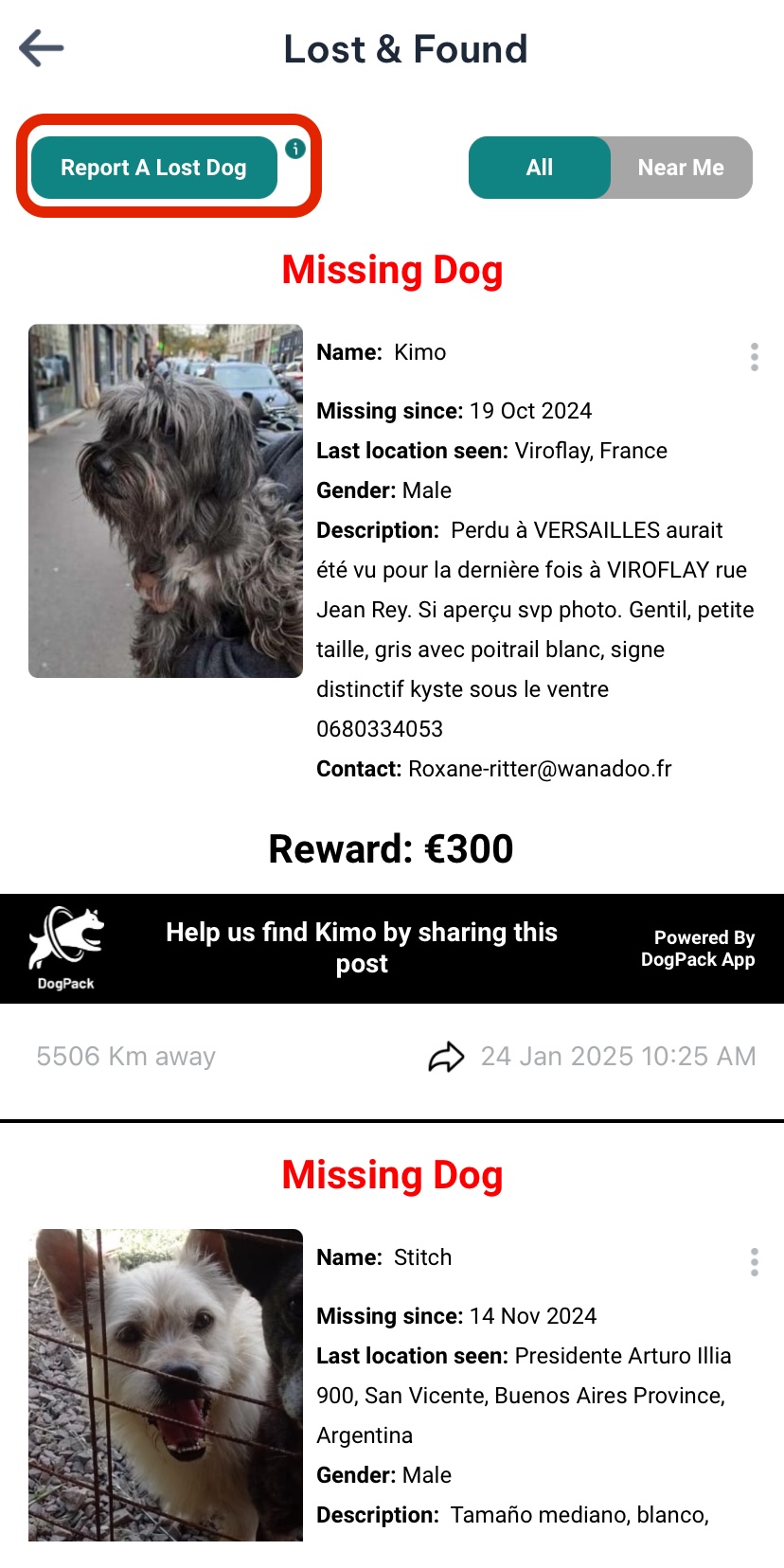
You will be asked to input all the dog's information, and the system will create a shareable poster with the information you included.
There is also the option to Report A Lost Dog From Our Website.